Local AI Implementation
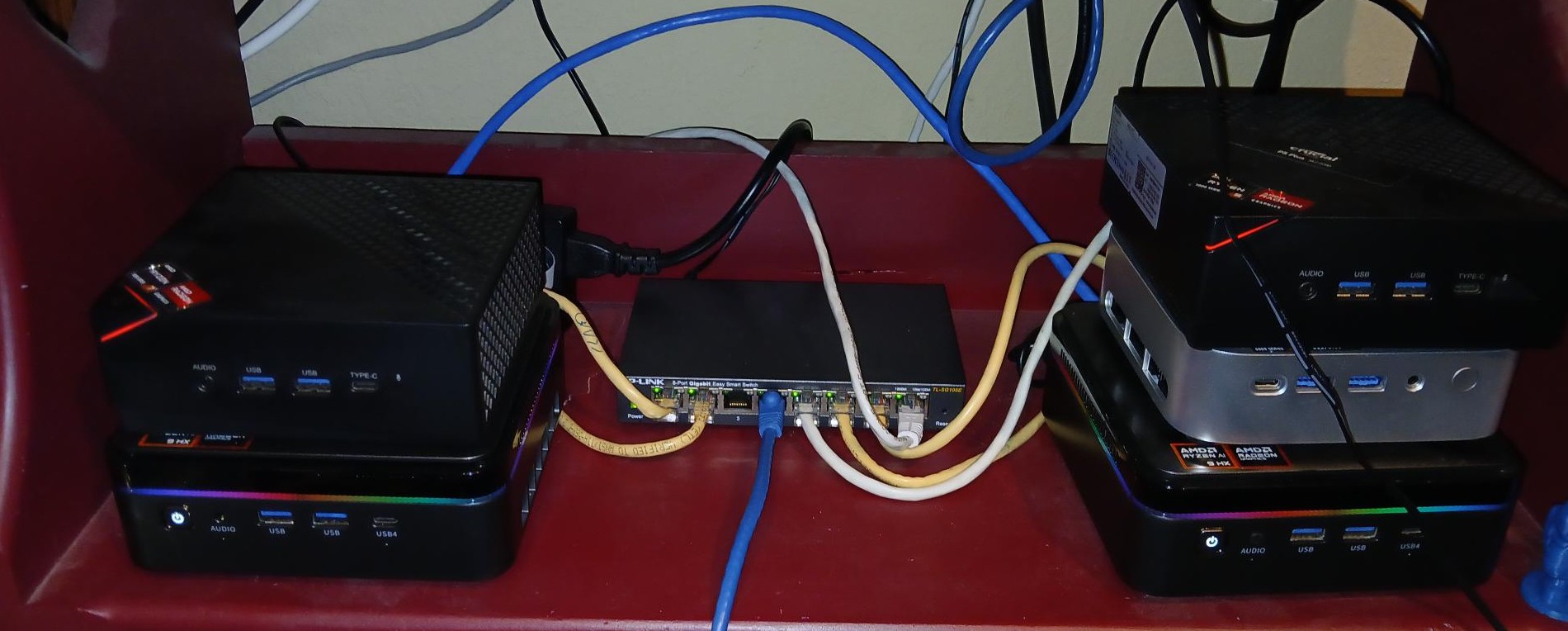
This post is overdue. I created my updated AI system setup almost a year ago now. Then, with the introduction of AI agents, I have had considerable changes. What started out as a few machines for running large language models has turned into a small fleet of mini PCs, each with a specific job. Let’s start with my current setup for the inference and interfaces I use. As I described in the previous post, my main inference systems have Ryzen AI 9 HX 370s, and the specs are below.
Two Ollama systems are an Acemagic F3A Ryzen AI 9 HX 370
Processor:
AMD Ryzen™ AI 9 HX 370
AMD Radeon™ 890M iGPU
Memory & Storage:
One with 94GB (Dual 48GB DDR5 5600MHz Dual Channel),
One with 128GB (Dual 64GB DDR5 5600MHz Dual Channel),
1TB M.2 2280 NVMe SSD
The reason I invested in these boxes is simple: local inference gives me privacy, no per-token costs, and the ability to keep working when the cloud is having a bad day. The systems use Ubuntu Server as the base operating system. One has 24.04 and the other has 26.04. Ubuntu 26.04 supported the NPU without adding in additional packages like I had to do with 24.04. These systems are CLI-only, which lowers overhead and reduces the memory needed for system function. I also use amd-ttm to dedicate the bulk of the system memory to the Radeon 890M. That trick pointing most of the system RAM at the iGPU is what lets a small mini PC punch this far above its weight.
The 890M with 16 cores functions well, and I have been able to run around a 125B parameter model with great success and speed. That was not my first attempt. Memory bandwidth, not raw compute, is the real bottleneck on machines like these, so how a model is quantized matters nearly as much as which model you pick. I did purchase the Ollama Pro+ subscription, which boosted some of the capabilities of my agents. In the seven months I have had the subscription, I have only come close to using all of my allotted usage one time. I keep it for the headroom on busy weeks more than anything.
The next few systems are used to host the AI agents. The first AI agent I used was Openclaw. I had used it for a while on a standalone system to play around with and learn more about it. However, at the speed of change, by the time I would learn how something worked, it would change either due to security or just a better way to accomplish the task. That turned out to be one of the biggest lessons of this year: agents move too fast to “master.” Learn the patterns scheduling, memory, tool access, permissions and adapt your tooling around them as versions change.
The system hardware specs are really irrelevant since I don’t even come close to maxing it out. The specs are below:
Acemagic W1
Processor:
AMD Ryzen 7 6800H
Memory & Storage:
16G LPDDR5
512G M.2 2280 NVMe SSD
Openclaw conducts daily research and morning briefs. It also reviews and monitors changes and updates to regulations, then lets me know weekly. Lastly, I have it write reports daily based on topics that I find important. All of this is automated except for a few things I manually kick off. That mix works well: the scheduled jobs handle the repetitive tracking, and the manual runs handle the things where I want to steer the focus. This system is set up to use one of my cloud models. Since these tasks run unattended, I want them finishing reliably every morning, and a cloud model gives me that consistency. I like how it functions, but it isn’t my primary anymore.
The next AI agent I use is Hermes agent. I really like that it creates skills for tasks, and I also installed Gbrain to help with memory. Skills have become my favorite part of the workflow once the agent figures out how to do something well, I save it as a skill and it just gets done right the next time. Gbrain fills the other half of the puzzle: memory. Between the two, the agent gets more useful every week instead of starting over every session. This system also has a few daily tasks assigned to it, but it is the agent I interface with the most. I exclusively use the terminal for this agent, which keeps me close to what it is actually doing instead of hiding it behind a UI.
This agent also has its own system, which is honestly overkill for it. The system specs are below:
Acemagic F5A
Processor:
AMD Ryzen 7 5825U
Memory & Storage:
24G DDR4 2666
1TB SSD
This system also runs a cloud model as its primary, but has local models for basic tasks, compression, and web search. Splitting the work this way keeps costs down while keeping the local hardware busy with the jobs it is good at. I also have this system write all of my interactions with it to a wiki, so I can go back and read about things instead of scrolling through the terminal. This also allows me to pause something we are doing and get back to it once I have a way forward. The wiki helps keep these projects on track months later I can search the wiki and pick up exactly where we left off. I did this wiki piece long before it ever came out as something on YouTube.
To finish this up, I also run three other AI agents that are all on virtual machines, so I am not going to go over the specs. I run another Hermes agent, Agent Zero, and Opencode. Each one has a very specific role inside my network, and all use local inference. The VMs also give me clean isolation if an experiment goes sideways, I rebuild the VM, not the machine. I do still have Open WebUI, but I use it a lot less than I used to due to the abilities of the agents. The agents come to me now; I don’t go to the chat box.
All of my systems are mini PCs, and that is to keep power usage as low as possible. Idle draw, not peak performance, is the number to watch when you run machines around the clock. The only thing I would change is adding the newer Ryzen AI 9 Max+ based systems. This processor paired with 128G of LPDDR5 8000 would double the inference speed compared to my current systems. The problem is the cost of $3,200 to $7,000 for a single system, when my first inference system cost right around $1,000. However, as memory prices increased, my second system cost closer to $2,000. At that trajectory, the Max+ systems simply have a low ROI for my setup.
In my next post, I will talk about performance and what models I use.